One Button.
A Live Conversation.
No personal numbers left at the gate. A driver presses Ping Me and Arino One routes the voice call to your on-call team. Open the WhatsApp link and answer in the browser. If nobody answers, the caller can leave a voicemail, routed through your connected channels.
Gate device ↔ paired WhatsApp recipient.
Private numbers · On-call routing · two-way voice.
Gate 3
Call Complete
Gate 3 ↔ Yard Office01:12 · Voice Call
Paired Voice Call Finished
Video Guide
Ping Me Sender
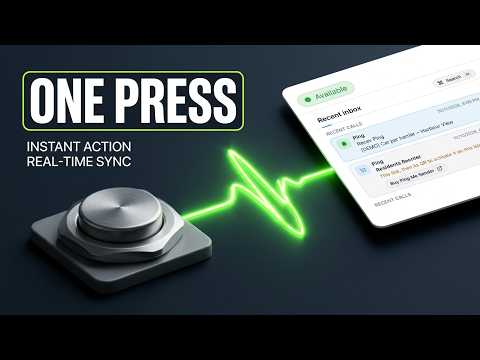
How it works
From the gate button to a voice call.
The device and WhatsApp recipient are paired. Arino One reaches the on-call user without exposing personal numbers. WhatsApp delivers the link; WebRTC carries the voice.
- Step 01
Press the paired device
The driver presses the button at the gate. The device is paired with its recipient — no personal phone number needs to be left at the site.
- Step 02
Receive the call link
Arino One routes the call to the on-call user. A link arrives in WhatsApp and opens the browser voice-call page.
- Step 03
Answer the voice call
The on-call user taps Answer to talk to the driver through the paired device. Personal numbers stay private.
- Step 04
No answer? Leave a voicemail
If nobody answers, the caller can leave a voice recording. Arino One can route it to your team via email, WhatsApp, SMS, RCS or another connected channel.
Routing — Arino One routes calls to your on-call users, in the app or through a WhatsApp voice link. No personal numbers need to be left on-site. If nobody answers, route the caller’s voicemail via email, WhatsApp, SMS, RCS or another connected channel.
Dashboard integration
A Ping Me call is just another conversation.
It doesn't sit in a separate system. The call appears in your unified inbox alongside WhatsApp, SMS and every other channel — with the same routing, CDP attribution and history.
- 1
Personal numbers stay private
No personal number needs to be posted at a gate, warehouse or call point. Arino One routes the device’s calls to the users on call.
- 2
Rings the agent panel
Live calls route straight to available agents in the Conversational Studio — answer, transfer or decline in the browser.
- 3
One unified inbox
Every Ping Me call is logged as a Voice conversation in the same inbox, tied to the contact in your CDP.
- 4
Missed → voice voicemail
If nobody answers, the caller can leave a voice recording with an AI transcript. Route the voicemail via email, WhatsApp, SMS, RCS or another connected channel for follow-up.
- 5
Metered transparently
Billed on your rate card per press plus per minute — visible in your usage ledger, no surprises.
- 6
Managed in Settings
Name each device and assign its receiver code under Settings → Ping Me. OTA firmware updates are SHA-256 verified and owner-gated.
INCOMING VOICE · PAIRED WITH YARD OFFICE
Sent to Voicemail → Gate 3 · Voice recording · 0:18
Built secure
Hardware you can trust on your network.
Signed webhooks
Every device event is HMAC-signed with a per-request signature, timestamp and nonce — replayed or tampered requests are rejected.
Verified OTA updates
Firmware updates are delivered over the air, SHA-256 checksum-verified and owner-gated so only authorised devices update.
No inbound ports
Devices reach out to the edge relay — nothing on your site needs to be exposed to the internet, and audio stays in the EU.
Pricing
Simple, metered pricing.
Devices are a one-time purchase. Usage is billed per press plus per minute of talk time.
One-time, per device. Shipped, provisioned and supported by Arino One.
Charged each time the button opens a call.
Call minutes run on your own Cloudflare account, billed at this rate.
Device $200 · per press $0.10 · per minute $0.009. Call minutes are relayed over, and billed through, your own Cloudflare account — never a third-party meter.
Where it goes
Anywhere a person needs to reach a human, instantly.
Hotels & resorts
Front-desk and on-property call points that reach the right team.
Golf courses
On-course call points for the clubhouse, cart or marshal.
Logistics & gates
Access points at gates, doors and docks — open a live channel to control.
Warehouse floor
One-press call points at pick stations, docks and packing lines.
Factory floor
One-press help and escalation on the line.
Government
Accessible, no-app contact points for citizens.
Put Ping Me in the real world.
Tell us the sites, the volumes and who answers. We confirm device count, deployment plan and unit economics before anything is ordered. Devices are shipped, provisioned and supported by Arino One.