GDPR in Your Platform
Settings → Privacy & GDPR keeps your data protection work in one place.
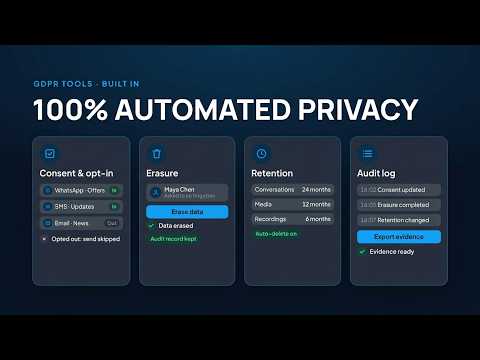
Requests
Review and complete access and erasure requests.
Retention
Choose how long data is kept. See Retention Policies.
Your DPO Details
Add your data protection officer's contact details.
Data Region
See where your data is stored.
Steps at a glance
- Open Privacy & GDPRGo to Settings → Privacy & GDPR.
- Handle RequestsReview and complete access and erasure requests.
- Set RetentionChoose how long data is kept.
- Add Your DPO DetailsEnter your data protection officer's contact details.
- Check Your Data RegionConfirm where your data is stored.
Frequently asked
Who Handles GDPR Requests?
Your team, from Settings → Privacy & GDPR. You are the controller of your customers' data.
Can I Choose How Long Messages Are Kept?
Yes, set retention in Settings → Privacy & GDPR.
Where Do My DPO Details Appear?
They are kept with your GDPR settings so requests reach the right person.
Where Is My Data Stored?
In the data region shown in Settings → Privacy & GDPR.
Apply this to your own deployment
This guide describes decisions we make on live platforms. Tell us your channels, systems and region and we will map it to an architecture outline, a provisioning plan and an indicative commercial model — usually within one business day.