Demo Data and Going Live
A new platform starts with demo data so you can try the inbox, contacts and automations straight away. It is only there until you go live.
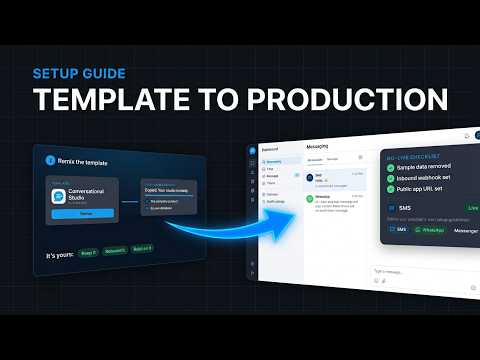
What the Demo Data Includes
Sample conversations, contacts and messages across channels, so every page has something to show.
When It Clears
The demo data clears on its own as soon as any provider is verified. You do not need to do anything.
Remove Demo Data
To clear it earlier, open Settings → Arino One Connection → Remove Demo Data. It only deletes demo rows, never anything you created.
Hide Setup
The setup checklist on /onboarding can be hidden with Hide Setup once you are done.
Open Settings → Infobip, paste your Base URL (the personal host in your Infobip dashboard, not api.infobip.com) and API key, then run Test Connection. Once verified, the demo data clears.
Add your number in Settings → Senders & Numbers → Add Sender → Meta Direct and verify it. Once verified, the demo data clears.
In Settings → Senders & Numbers → Add Sender → Twilio, paste your Account SID and Auth Token, then run Test Connection. Once verified, the demo data clears.
Steps at a glance
- Explore with Demo DataOpen /onboarding. Sample conversations and contacts let you try the inbox before any provider is connected.
- Verify a ProviderConnect a provider and run its test. The demo data clears as soon as any provider is verified.
- Or Remove It YourselfOpen Settings → Arino One Connection → Remove Demo Data.
- Hide the Setup ChecklistChoose Hide Setup once you no longer need the checklist.
Frequently asked
Does Demo Data Ever Reach Real Customers?
No. Demo conversations and contacts are samples and nothing is sent from them.
Will Removing Demo Data Delete My Real Contacts?
No. Only the sample records are removed.
Can I Bring the Setup Checklist Back After Hiding It?
Yes, from Settings → Arino One Connection; Settings → Arino One Connection can also restart the wizard.
Why Did My Demo Data Disappear?
A provider was verified. Demo data clears automatically at that point.
Apply this to your own deployment
This guide describes decisions we make on live platforms. Tell us your channels, systems and region and we will map it to an architecture outline, a provisioning plan and an indicative commercial model — usually within one business day.