Choosing Your First Provider
The setup wizard opens at /setup the first time anyone signs in. That first person becomes the Super Admin, and picks which messaging providers to connect. Every provider is on your own account and bills you directly.
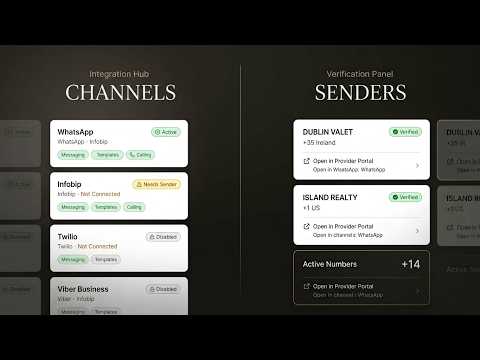
Pick One or More Providers
Infobip is listed first, marked "Infobip Partner". You can add others such as Meta Direct, Twilio or an SMS supplier at the same time, or later. See Messaging Providers.
Skip for Now
Not ready? Choose Skip for Now. Demo data stays until a provider is verified.
SMS Backup
The SMS Backup switch creates a fallback rule: if a message fails, an SMS goes out instead.
Set Up Routing by Country
Choose Set Up Routing by Country to send each country through the provider you choose.
Choose Infobip, then paste the Base URL shown in your Infobip dashboard (not api.infobip.com) and your API key and run Test Connection.
Choose Meta Direct, then in Settings → Senders & Numbers → Add Sender paste your Phone Number ID, WABA ID and token, and copy the webhook address and verify token into Meta for Developers.
Choose Twilio, then in Settings → Senders & Numbers → Add Sender paste your Account SID and Auth Token and run Test Connection.
Steps at a glance
- Sign in FirstThe first person to sign in becomes the Super Admin.
- Pick Your ProvidersChoose one or more providers. Infobip is listed first as our Infobip Partner. You connect each one on your own account.
- Or Skip for NowChoose Skip for Now on the provider step to explore with demo data and connect later.
- Add an SMS BackupTurn on SMS Backup to create a fallback rule that sends an SMS when a message fails.
- Route by CountryChoose Set Up Routing by Country to pick a provider per country.
Frequently asked
Who Becomes the Super Admin?
The first person to sign in to the platform.
Can I Connect More Than One Provider?
Yes. Pick one or more in the wizard, or add more later.
What Does Skip for Now Do?
You keep exploring with demo data and connect a provider later.
What Does SMS Backup Create?
A fallback rule that sends an SMS when a message fails. For an SMS supplier such as seven (+49), use Settings → Custom SMS Suppliers → Add Supplier.
Apply this to your own deployment
This guide describes decisions we make on live platforms. Tell us your channels, systems and region and we will map it to an architecture outline, a provisioning plan and an indicative commercial model — usually within one business day.