Connecting Your Instance to Arino One
Connecting your instance to Arino One pairs it with the Arino One control plane using a 6-digit code sent to the owner's email. It is the recommended default: connected instances get updates, support, compliance monitoring, Ping Me activation and WebRTC calling.
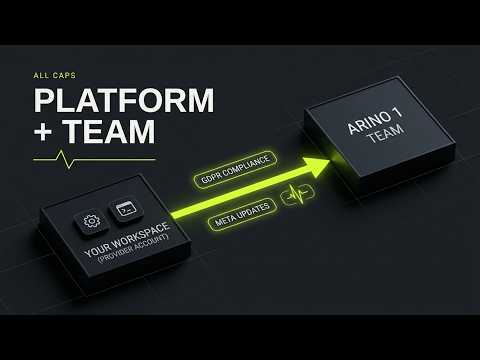
How to Connect
- Choose Connect to Arino One in the last step of the setup wizard, or later in Settings → Arino One Connection.
- The owner receives a 6-digit code by email.
- Enter the code. The instance is now paired.
What Changes When You're Connected
- Updates when Infobip or Meta change
- Support routed from Account & Services
- Compliance monitoring, if you opt in: see compliance monitoring
- Ping Me activation
- WebRTC in-browser calling
Nothing runs on its own. Every action from Arino waits for an administrator to approve it in the Command Inbox.
Plans start at $99/month, or $1,089/year (the 12th month free), with every feature included. See billing and plans.
What It Shares
After pairing, your instance sends health information and counts, never messages, contacts or keys. See what your instance shares.
Disconnecting and Reconnecting
You can disconnect at any time from Settings → Arino One Connection. Messaging keeps running on your own Infobip account. To reconnect, start pairing again and enter a new code from the owner's email.
Steps at a glance
- Start PairingChoose Connect to Arino One in the setup wizard, or later in Settings → Arino One Connection.
- Get the CodeThe owner receives a 6-digit code by email.
- Enter the CodeEnter the code in your instance to complete pairing.
Frequently asked
How Do I Connect?
Choose Connect to Arino One in the last step of the setup wizard or in Settings → Arino One Connection. The owner receives a 6-digit code by email; enter it and the instance is paired.
What Changes Once I'm Connected?
You get updates when Infobip or Meta change, support routed from Account & Services, compliance monitoring, Ping Me activation and WebRTC calling. Every action from Arino still waits for an admin to approve it in the Command Inbox.
What Does It Cost?
Plans start at $99/month, or $1,089/year (the 12th month free), with every feature included. See billing and plans.
Can I Disconnect?
Yes, at any time, from Settings → Arino One Connection. The instance keeps working on your own Infobip account.
Can I Reconnect Later?
Yes. Start pairing again from Settings → Arino One Connection and enter a new 6-digit code sent to the owner's email.
Apply this to your own deployment
This guide describes decisions we make on live platforms. Tell us your channels, systems and region and we will map it to an architecture outline, a provisioning plan and an indicative commercial model — usually within one business day.